Dashboard
Net worth over time, this month's movement, your emergency runway and bank fees on one screen.
Check your balances, review transactions and keep budgets on track from your phone. Same account as the web app, so everything you already set up is there.

iPhone app on our roadmap

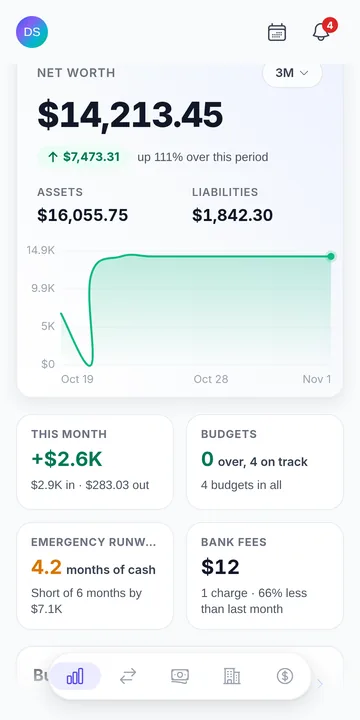
The app is built for the phone, not a shrunken website. These are the parts you will use most.
Net worth over time, this month's movement, your emergency runway and bank fees on one screen.
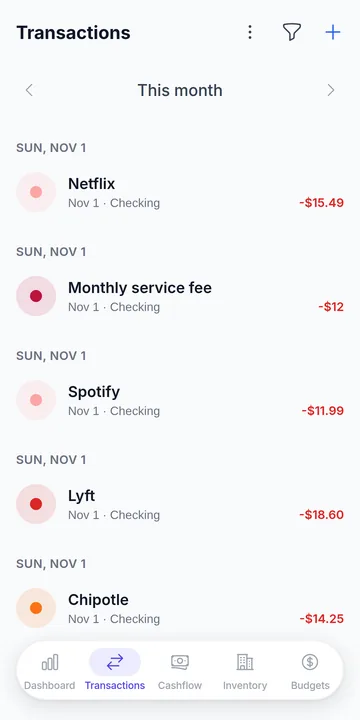
Browse by month, filter, search and recategorize in a couple of taps. Add a cash expense on the spot.
Weekly, biweekly or monthly budgets, or start from a template. See what is left in each category.
Get a heads-up when a budget runs low or goes over, an expected payment is missed, or a statement you forwarded is ready to review.
Sign in with your fingerprint or screen lock through a passkey. Two-factor authentication works too.
Upload a statement as PDF, CSV, Excel, OFX or a photo. Bank connections are available in the US and Canada.
Sign in with the email or passkey you already use on finthy.com. Your banks, categories, budgets and shared spaces are the same in both places.
A change you make on the phone shows up on the web, and the other way around. New to Finthy? Create your account in the app.
Yes. The app is free to download and Finthy's free plan works in it. Paid plans add more bank connections, accounts and imports, and each one starts with a 14-day free trial.
Yes. Sign in with the account you use on finthy.com and everything is already there. Changes sync both ways, so you can switch between the phone and the browser at any time.
Not yet. The iPhone app is on our roadmap. Until then, Finthy works in Safari on any iPhone with the same account.
Through Google Play, using the payment method on your Google account. You manage or cancel them in your Google Play subscriptions. A plan you bought on finthy.com stays billed there and works in the app too.
Something else on your mind? Write to us
Install the app, sign in, and your money is where you left it.
iPhone app on our roadmap