Sync your Mexican bank with our Chrome extension
The Finthy Chrome extension imports your accounts and transactions straight from online banking. No retyping, no statements to download.
Free to install. Works in Chrome, Edge and Brave.
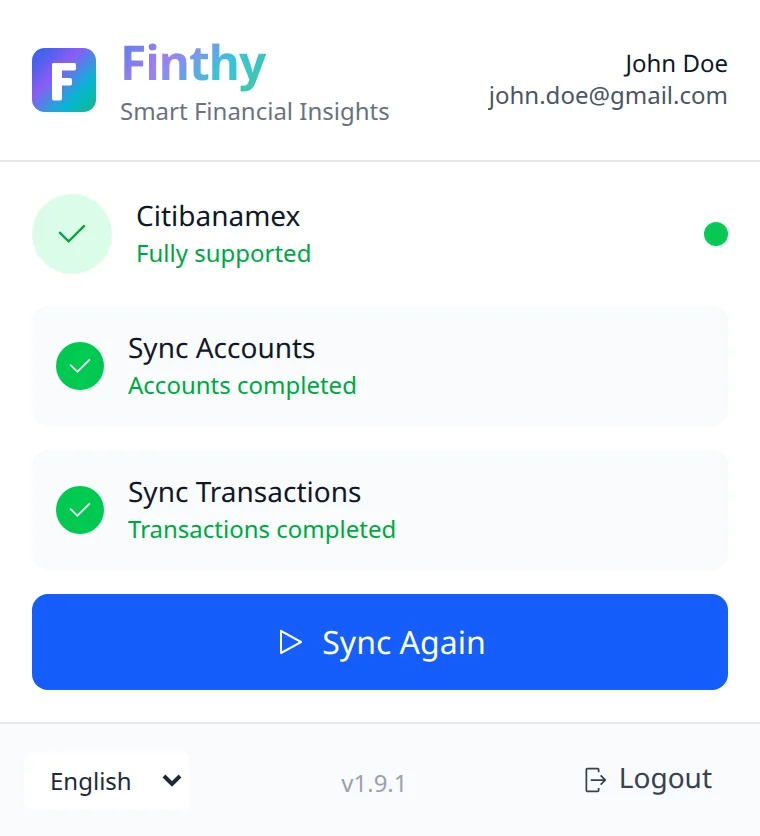
Works with your bank
Auto-sync is available for three of Mexico's largest banks.



Banking somewhere else?
Every other Mexican bank works through statement upload: send Finthy a PDF or CSV and our AI reads every transaction.
Three steps, then one click
Set it up once. After that, a sync is a single click from your bank's website.
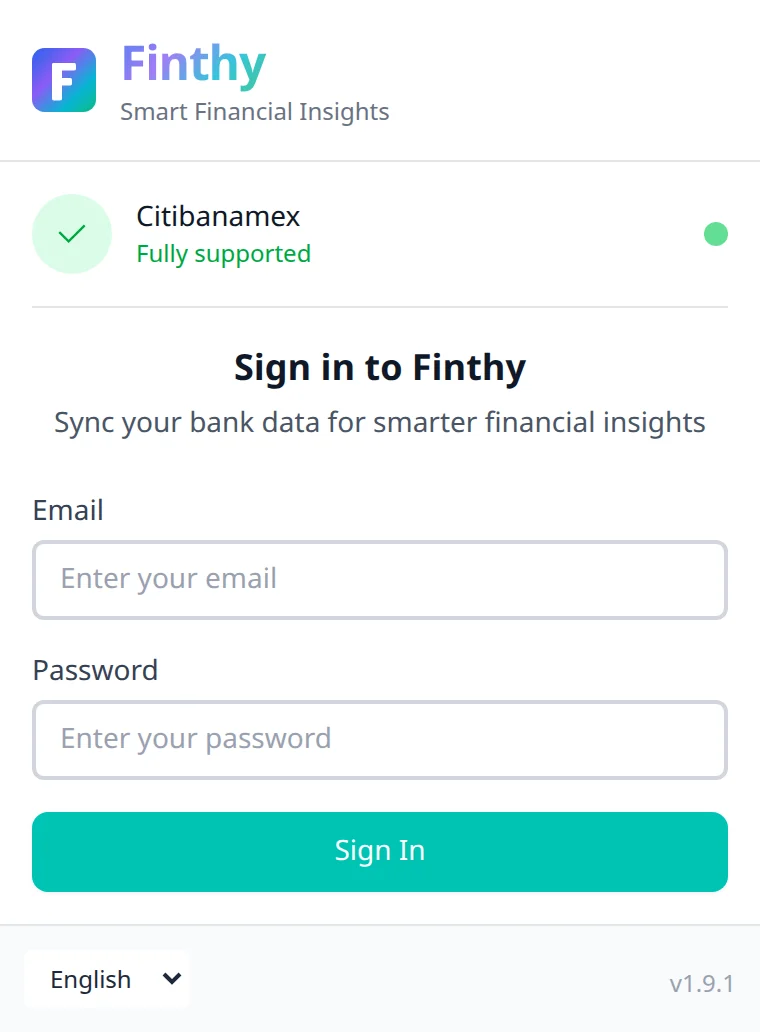
Add the extension and sign in
Install it from the Chrome Web Store and sign in with your Finthy account.
Log in to your bank as usual
Open Banamex, Banorte or HSBC México online banking. The extension recognizes your bank automatically.
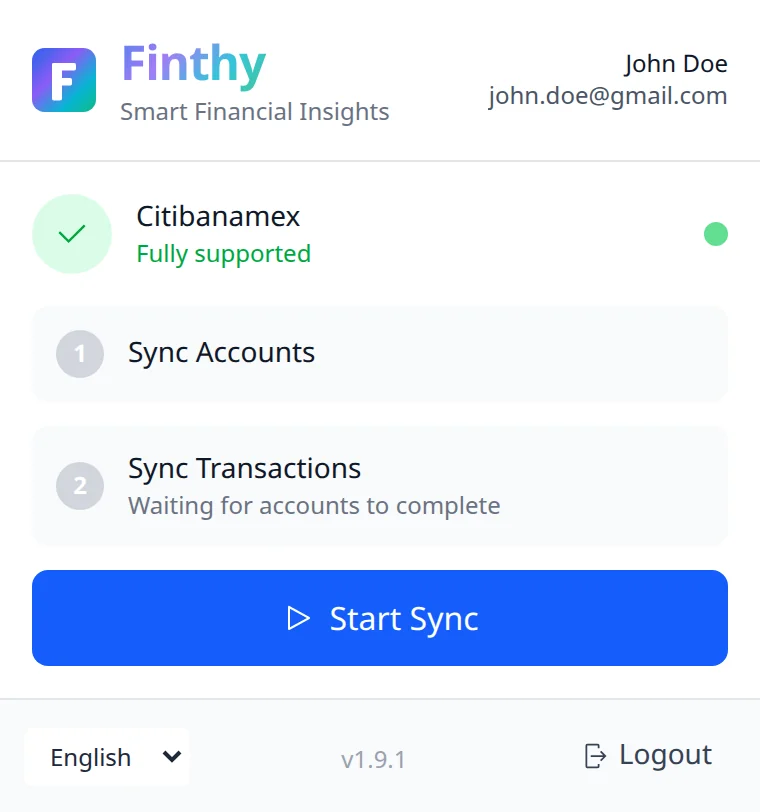
Click Start Sync and you're done
Your accounts come in first, then your transactions, ready in your Finthy dashboard.
Your bank login stays yours
The extension is built to do one job, and only when you ask it to.
Your password stays with your bank
You type it into your bank's own website. The extension never asks for it and never stores it.
Only on bank websites
It runs only on Mexican online-banking sites, never on the rest of your browsing.
Nothing happens without you
There is no background syncing. Data moves only when you click Start Sync.
Encrypted on the way
Your data travels to your Finthy account over an encrypted connection.
Chrome extension questions, answered
Is the extension free?
Yes, it is free to install from the Chrome Web Store. You need a Finthy account to sync, and you can start with a free trial.
Which banks does it support?
Citibanamex (Banamex), Banorte and HSBC México. Any other Mexican bank works through statement upload.
Can Finthy see my bank password?
No. You sign in on your bank's own website, and the extension never reads or stores your password.
Which browsers does it work in?
Google Chrome and other Chromium-based browsers that install Chrome Web Store extensions, such as Microsoft Edge and Brave.
How often should I sync?
Whenever you want fresh transactions. Each sync covers the last month by default, so syncing every week or two keeps everything current.
Does it work on my phone?
No. Chrome extensions only run in desktop browsers. On your phone you can still upload statements in Finthy on the web.
Still have a question? Contact us
Bring your Mexican bank into Finthy
Install the extension, log in to your bank and click Start Sync.